Telegram sets hard limits on how many people can join a group or channel, and these limits vary depending on the type of community you're running. Understanding them before you hit them saves a lot of frustration.
Teleteg is a public Telegram search engine indexing millions of public channels and groups. This article is part of our knowledge base on Telegram search and community discovery.
Groups
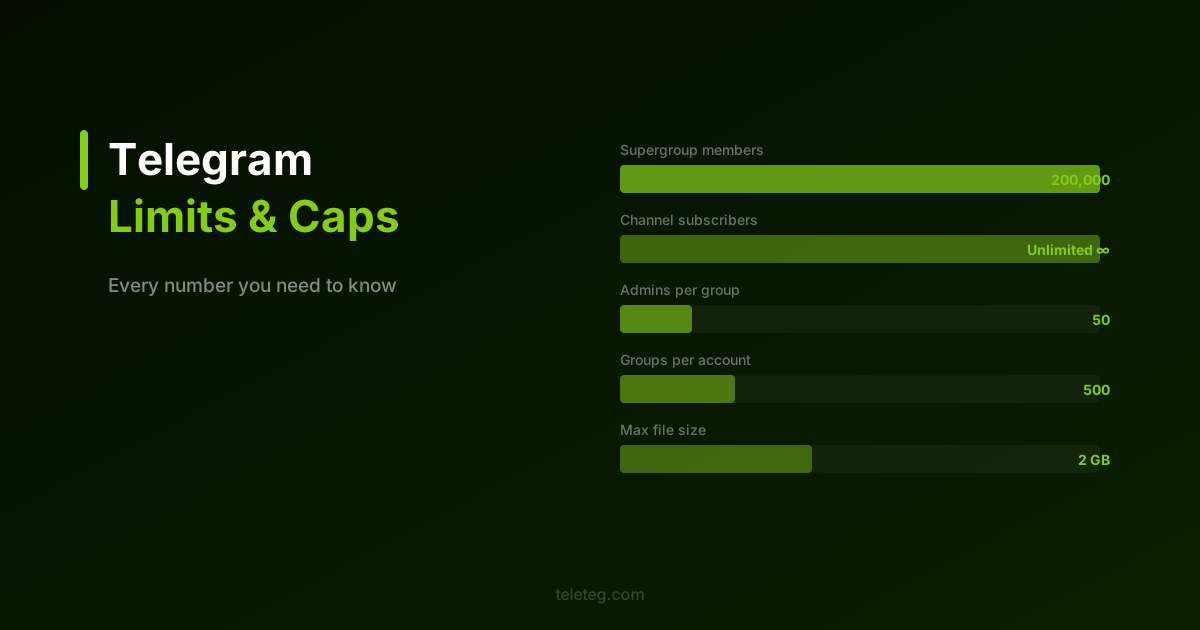
Basic groups support up to 200 members. Once you approach that ceiling, Telegram will prompt you to upgrade to a supergroup — this happens automatically when you try to add more people. Supergroups support up to 200,000 members, which is more than enough for almost any community.
Supergroups also unlock features unavailable in basic groups: message threading, polls, admin logs, and granular permission controls for each member role. Most serious communities operate as supergroups from the start.
Channels
Channels have no subscriber limit — you can broadcast to an unlimited audience. The trade-off is that channels are one-directional by default: only admins post, members can only react or comment if you enable a linked discussion group.
Admin and Bot Limits
A group or channel can have up to 50 admins. Each admin can be assigned specific permissions — posting, editing others' messages, adding members, managing bans — rather than blanket control. This makes it practical to run a large community with a distributed team without giving everyone full access.
Bots count toward the group member limit and can be added by anyone with the appropriate permissions. A single bot can be a member of up to 20 groups simultaneously.
Personal Account Limits
A single Telegram account can join up to 500 groups and channels in total. This limit catches people by surprise if they're active across many communities. The only way around it is to leave groups you're no longer active in.
You can create up to 10 public usernames (public groups or channels) per account. Private groups have no corresponding limit.
Message and File Limits
Individual messages are capped at 4,096 characters for text. Files and media can be up to 2 GB per file — one of Telegram's more practical advantages over other messaging platforms for communities that share documents or recordings.
Forwarded message chains are limited to 100 messages at once. Polls support up to 10 answer options.
Invite Links and Join Requests
You can create multiple invite links for the same group, each with different settings — expiration date, usage limit, or requiring admin approval before a new member joins. This is useful for managing access to private communities or running time-limited open invitations without permanently opening the group.
A group can have a maximum of 100 active invite links at any time. Links that have expired or been revoked don't count toward this limit.
A Practical Note
Most of these limits are generous enough that they won't affect typical community management. The ones most likely to matter in practice are the 500-group personal limit and the 50-admin cap for large communities with distributed moderation teams. Both are worth keeping in mind when planning how a community is structured.
For finding and evaluating Telegram communities within these parameters, Teleteg lets you filter public groups and channels by size, activity, and language — useful for understanding what's out there before building something new.